Follow the order through its stages.
Move between the commercial, shipping, clearance and delivery details without losing the purchase-order context.
Import management software that brings purchase orders, payments, shipping, clearance and deliveries into one workspace.
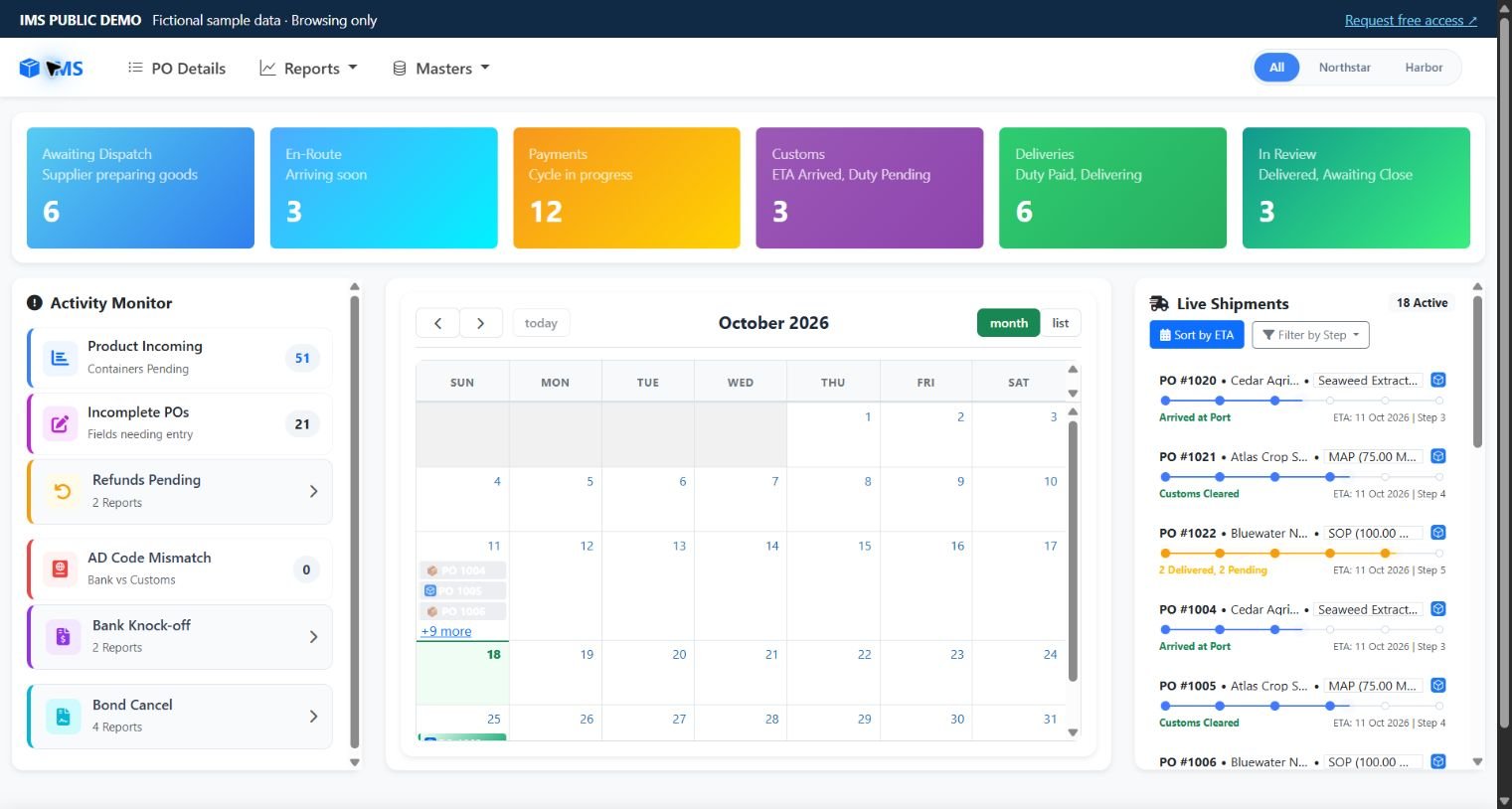
For import teams whose supplier details, payments, shipping updates and delivery follow-ups are spread across separate records.
Move between the commercial, shipping, clearance and delivery details without losing the purchase-order context.
Review the sample remittances, outstanding amounts, exchange rates and order-linked costs together.
Use the dashboard and reports to understand pending work and inspect the detail behind a sample order.
Each feature links to a working example. Open the forms, change draft fields and see how the interface behaves.
Keep suppliers, products, quantities, currencies, agreed terms and references together. Open a new PO form or inspect an existing fictional order.
Follow remittances, outstanding amounts, exchange rates and charges against the right purchase order.
Keep shipping-line, vessel, bill-of-lading and journey dates connected to the order they belong to.
Review clearance-agent records, Bills of Entry, duty fields and test-bond information in the same workflow.
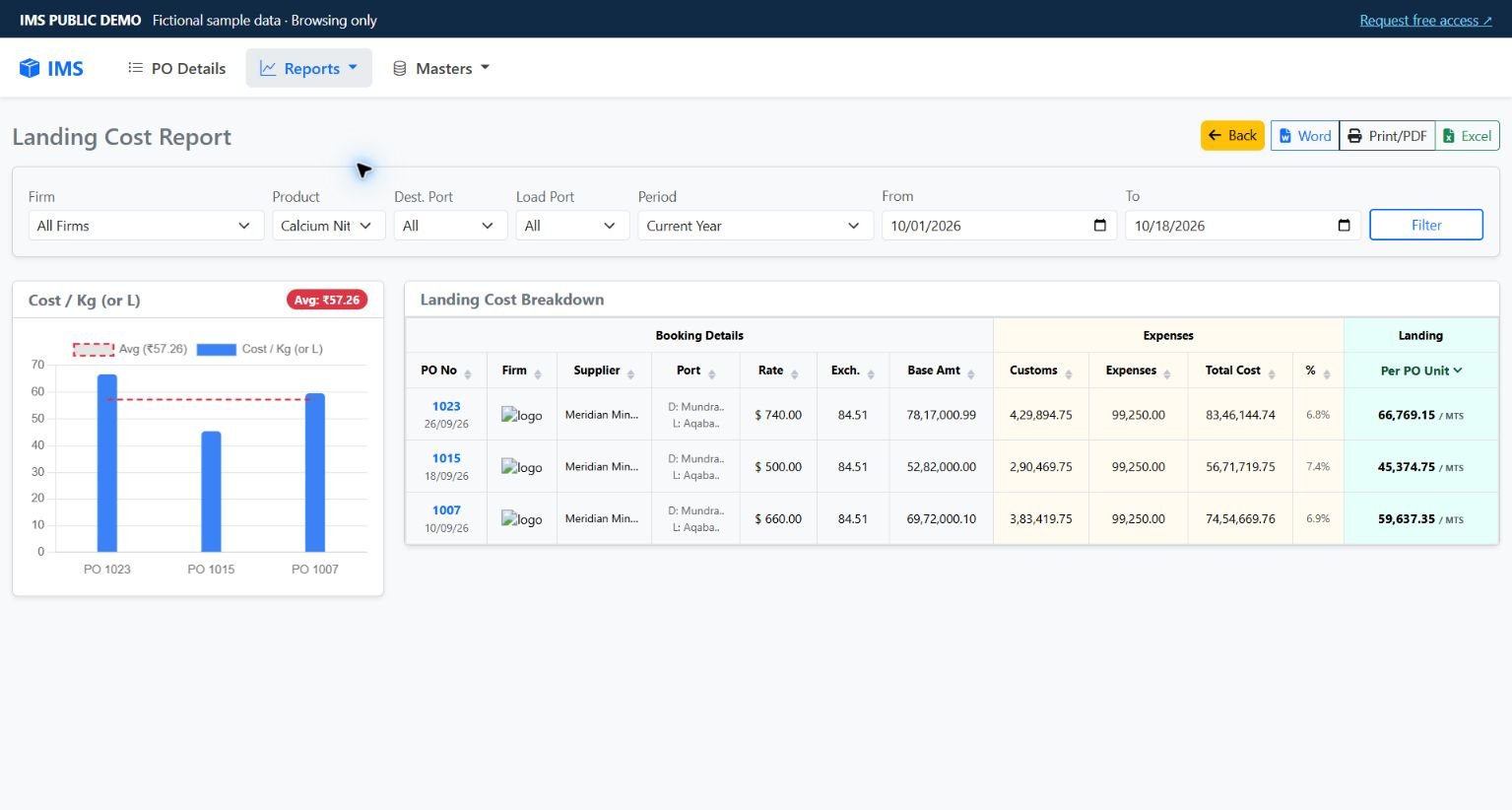
Bring order-linked charges into view and inspect their contribution to the sample landed-cost report.
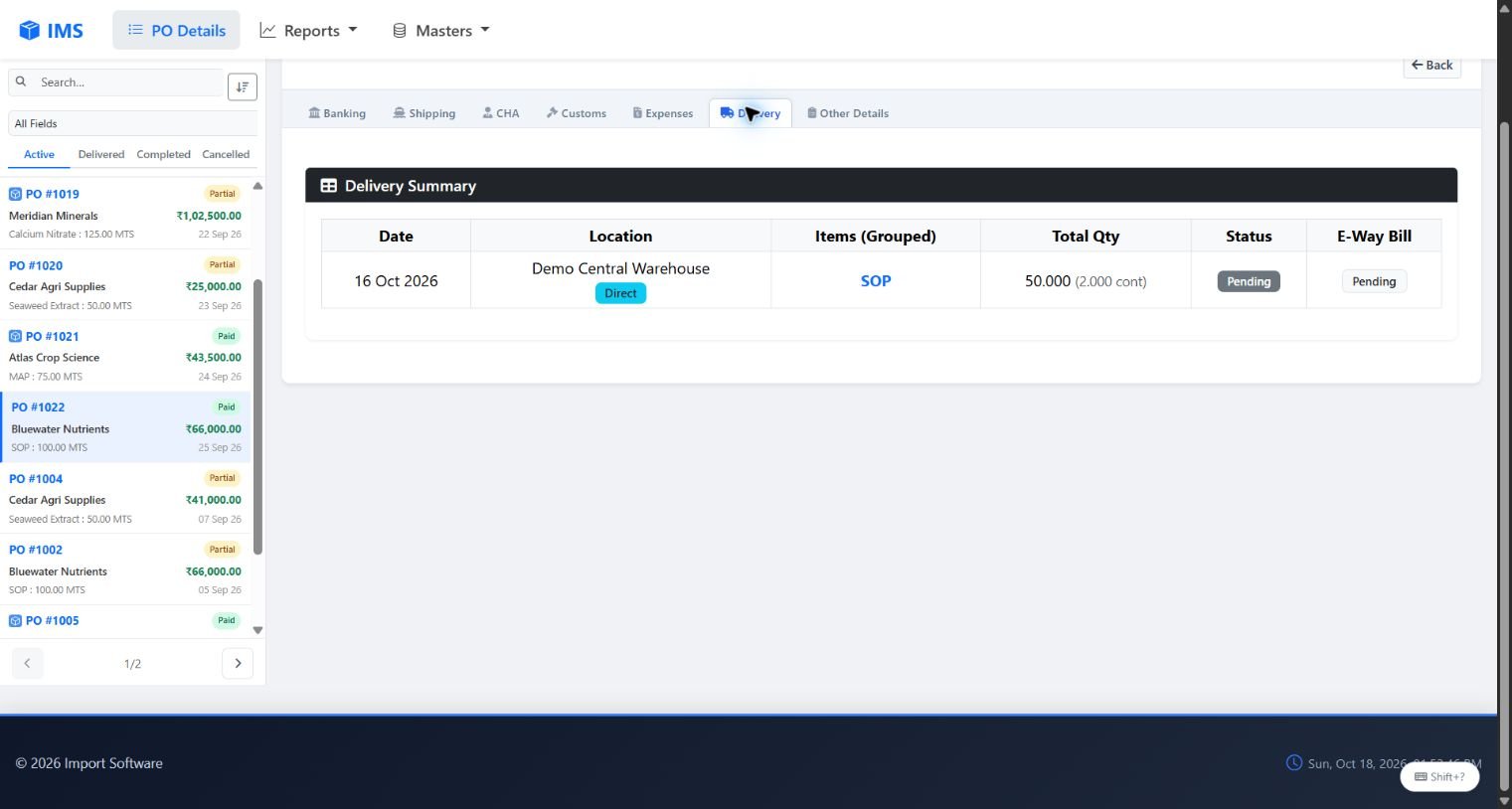
Review destinations, grouped deliveries, received quantities and the remaining work on an order.
Move from the operational details to reports. Explore supplier, bank, product and other reusable master lists.
Explore a safe administration preview: profiles, user management, role and button visibility, an activity log, sample backup snapshots and rollback. Fictional users and browser-only changes keep the company system separate.
Explore administration →The guided tour follows the screens of a fictional purchase order. Leave the tour whenever you want and explore freely.
Supplier, products, quantities and agreed terms.
Remittances, pending amounts and bank charges.
Shipping references and journey milestones.
Agent records, customs fields and expenses.
Destinations, quantities and final follow-ups.
These are screenshots of the working demo. Open the matching screen to explore its filters, fields and records.
Share your name, email, company and workflow interest, then explore original forms with a character guide. Contact permission is optional.
Share your company and the workflow you would like to try in a separate workspace hosted on our server.
Need to discuss a specific workflow?
Tell us what your team needs →
IMS is designed around import teams who coordinate purchase orders, supplier payments, shipping, clearance, expenses and delivery, and want to review those details together. Use the demo to evaluate the fit for your workflow.
Browse fictional orders and reports, open Add and Edit forms, create draft PO rows and explore the choices. Save and Delete show preview notices; they never change the sample records. Your draft disappears when you leave or refresh.
No. The public demo uses a separate read-only database containing fictional companies, suppliers, purchase orders and financial examples. Company records and documents are not part of the public demo.
Complete a short form to get immediate, temporary access to the fictional-data demo in your browser. No card or software account is needed. A separate hosted team workspace is arranged after discussion.
Use Request free access, choose the workflow you want to try, and share your name, work email and company or team name. Requests are reviewed manually. The form does not automatically create an account.
Yes. The demo includes mobile navigation, touch-friendly form controls and horizontally scrollable data tables. A larger screen is useful when comparing many report columns.
Share your current workflow and the changes you need in the access request. Scope, availability and any implementation terms are discussed directly; the demo does not promise an automatic integration or a particular customisation.
The website records anonymous daily counts of page views, feature views, tour steps and access-link clicks. It does not record form values or attach these events to visitor identifiers. Do Not Track and Global Privacy Control preferences are respected.